What is the ChatGPT Personality Picker meme?
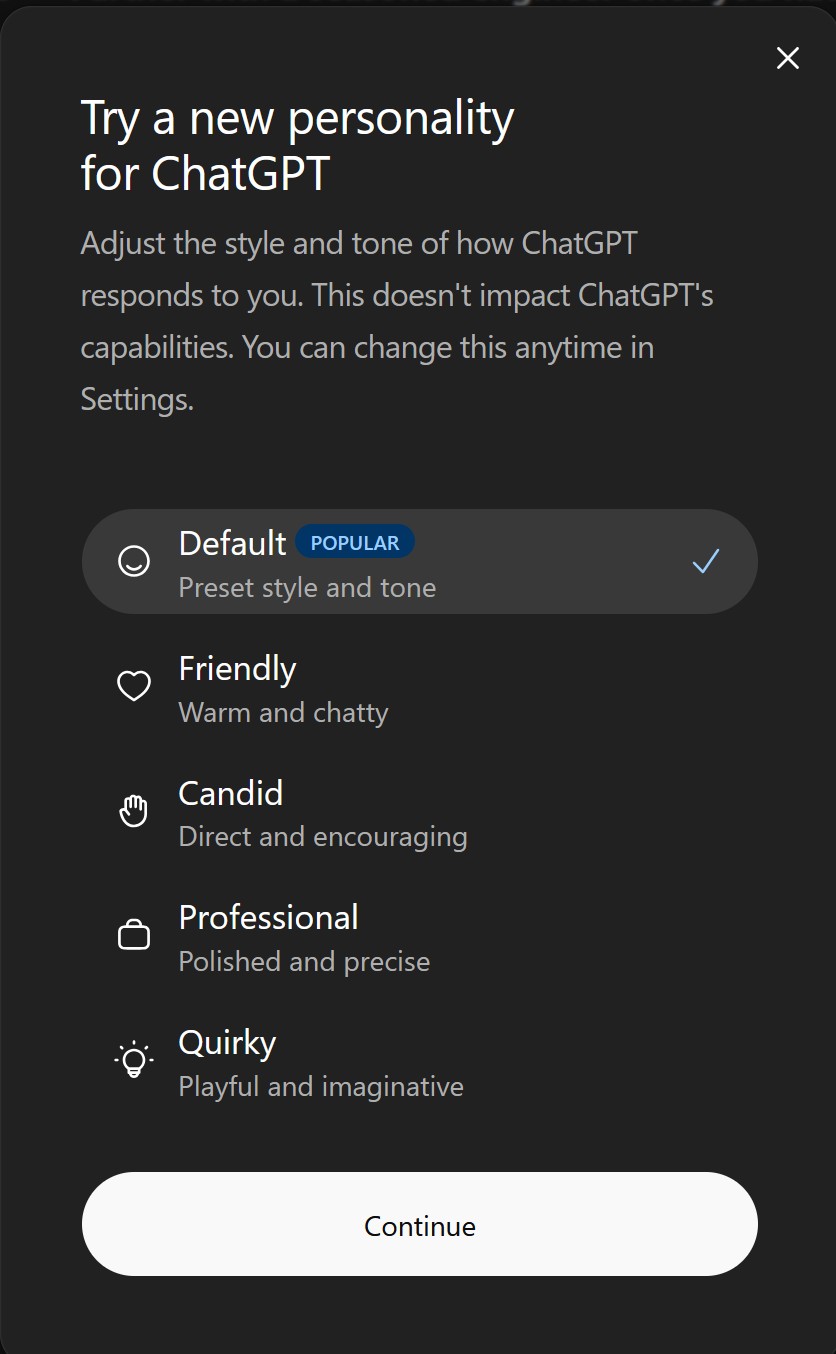
This is a tall screenshot of ChatGPT’s personality-selection interface. It works as a reaction or comparison template by adding a setup caption above the dialog and a punchline caption below it, often framing a person, task, or chatbot as having a particular communication style.
How the joke works: Put the situation or person being described in the top caption box and the selected personality joke or punchline in the bottom caption box.
Where it comes from
The screenshot depicts a ChatGPT onboarding or settings modal that lets users select a response style. The visible interface lists Default, Friendly, Candid, Professional, and Quirky options, with Default selected. The source post or first meme use is unclear.
When to use it
- Choosing a personality for an overly formal coworker
- Turning a blunt answer into a friendly response
- Comparing how different AI styles would answer the same prompt
- Selecting a personality for a chaotic group chat
- Joking about switching from polite mode to candid mode
How to make a ChatGPT Personality Picker meme
- 1Type your captionsFill in Setup Caption and Punchline Caption. You can also tap the meme and type right on it.
- 2Pick a styleKeep the original look or switch to Impact, dark text, or subtitles. Add more text if the joke needs it.
- 3Generate and downloadHit Generate meme, then save a PNG or JPG, or copy it straight into a chat.