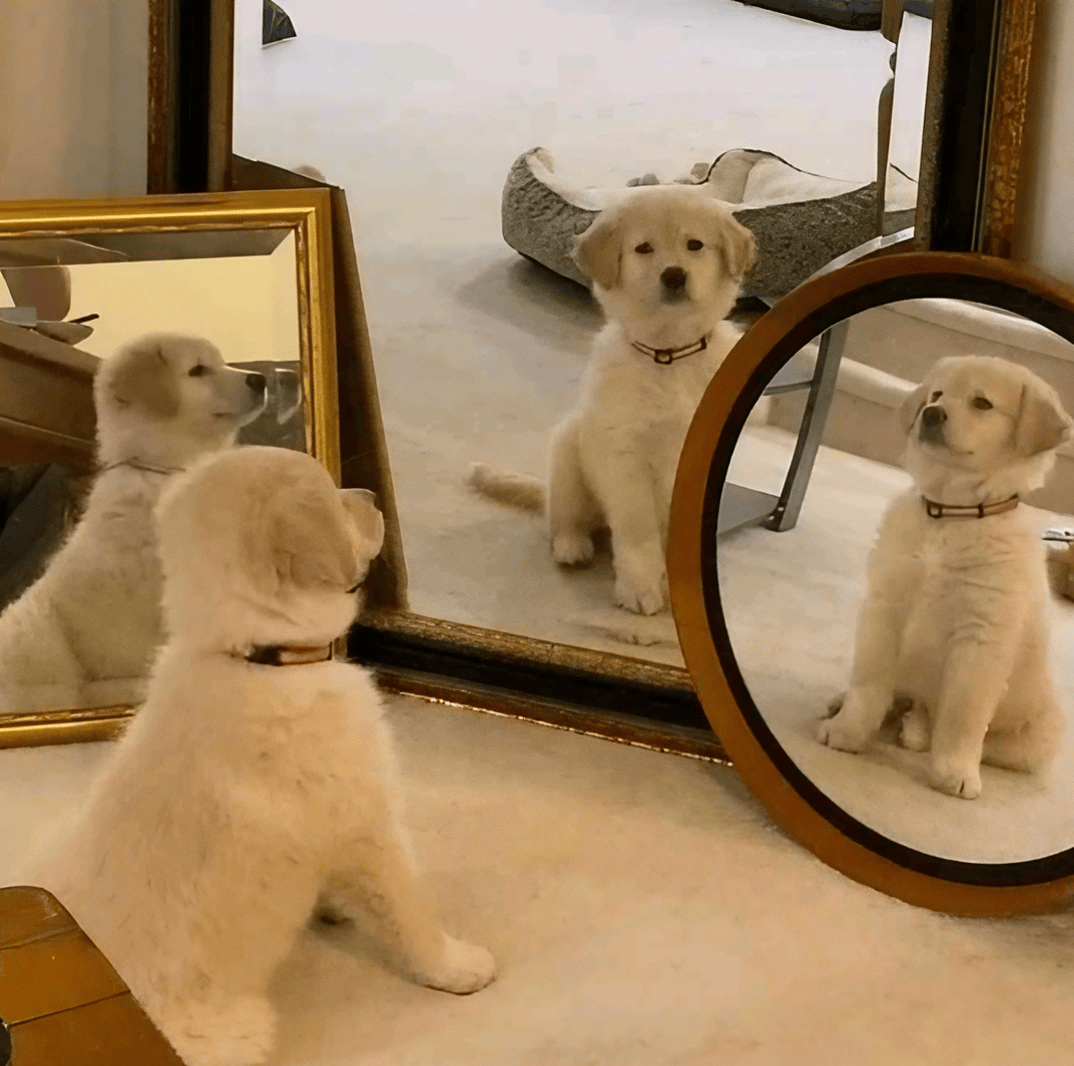
What is the Puppy Surrounded by Mirrors meme?
This is a mirror-reflection reaction template built around one puppy appearing as several apparent puppies at once. The repeated reflections make it useful for captions that assign different identities, opinions, moods, habits, inner voices, or versions of the same person to each visible dog. It can also express confusion, self-awareness, vanity, introspection, or the feeling of being surrounded by one’s own thoughts.
How the joke works: Put the setup or situation in the top caption and the punchline, realization, or self-referential payoff in the bottom caption.
Where it comes from
The underlying image is a staged indoor photograph of a young light-colored retriever-type puppy positioned in front of multiple freestanding and wall-mounted mirrors. The arrangement naturally produces several front-facing reflections while the real puppy is seen from behind, giving the image its unusual “many selves” effect. Online reposts and meme-template listings have treated it as a general-purpose dog-in-the-mirror image, especially for jokes about introspection, identity, divided opinions, or meeting different versions of oneself. No reliable source found in the search establishes a definitive original owner, photographer, or first meme post, so the image’s exact provenance should be considered unresolved.
When to use it
- Label each reflection as a different personality or mood.
- Contrast what someone says publicly with what they are thinking privately.
- Show one person surrounded by conflicting opinions or inner voices.
- Joke about checking one’s appearance repeatedly before leaving the house.
- Depict self-awareness, overthinking, or an identity crisis.
How to make a Puppy Surrounded by Mirrors meme
- 1Type your captionsFill in Left Mirror (One perspective), Center Dog (Self), and Right Mirror (Other perspective). You can also tap the meme and type right on it.
- 2Pick a styleKeep the original look or switch to Impact, dark text, or subtitles. Add more text if the joke needs it.
- 3Generate and downloadHit Generate meme, then save a PNG or JPG, or copy it straight into a chat.